
How we migrated 800+ blog posts from WordPress to Webflow without losing SEO
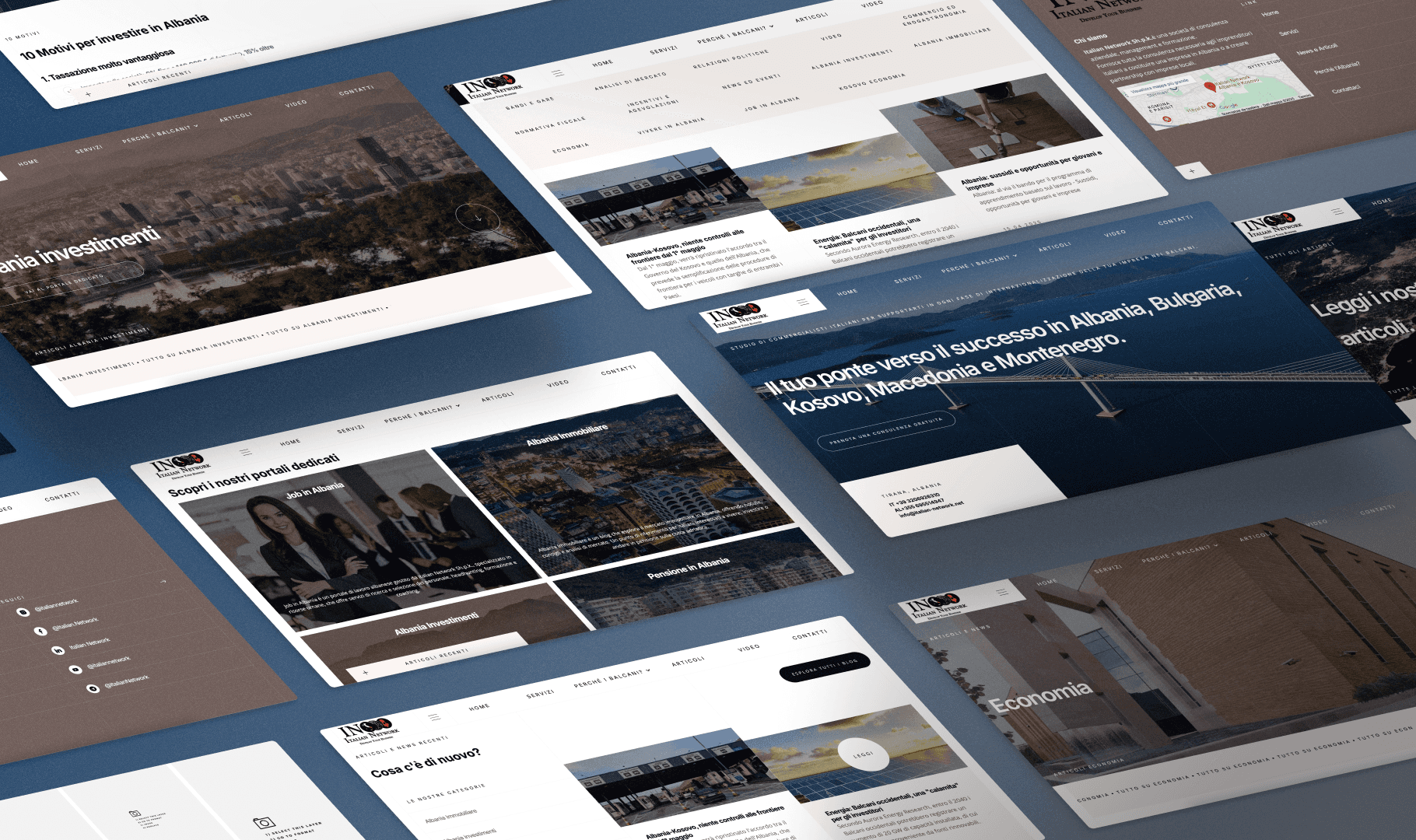
Migrating a website is already stressful. Migrating a website with over 800 published blog articles, each with its own URL, metadata, internal links, and years of accumulated SEO authority, is a different challenge entirely.
That's exactly what we faced when Italian Network, a cross-border consultancy firm came to us. They needed a faster, more modern website. They had 800+ blog posts they absolutely could not afford to lose: neither the content nor the rankings.
This is the full process of how we did it, what went wrong, and what you need to know if you're planning the same move.
Why They Were Leaving WordPress
Italian Network had been running on WordPress for years but the problems were familiar:
Slow load times caused by plugin bloat and unoptimized themes
Broken Design caused by broken themes and rigid design
Security vulnerabilities requiring constant maintenance and updates
No scalable CMS structure that matched how their editorial team actually worked
Webflow offered a cleaner solution: full design control, a purpose-built CMS, native performance optimization, and no plugin dependency.
The Real Risk: 800+ URLs With Established Authority
Before touching a single file, we ran a full SEO audit. This is non-negotiable before any migration.
Here's what we were working with:
800+ individual blog posts, many ranking on Google and essential for organic traffic
Thousands of internal links between articles
External backlinks pointing to specific post URLs
Category and tag archive pages that Google had indexed
Every one of these was a potential point of failure. A few misconfigured redirect could send hundreds of URLs into a 404 spiral. And Google does not forgive mass 404s, especially on a domain with history.
Phase 1: Full Content Audit Before Moving Anything
The first thing we told the client: we don't migrate anything until we know exactly what we have.
We exported the entire WordPress database and ran the content through a structured audit:
Crawl the existing site with to capture every indexed URL, status code, meta title, description, H1, and canonical tag
Pull Google Search Console data to identify which posts had real impressions or clicks: these were the priority URLs, the ones we could not afford to break
Flag thin content. Old posts under 300 words with no traffic and no backlinks are candidates for consolidation or deprecation, not migration
Map URL structure. WordPress default URLs don't always match what you want in Webflow CMS
This audit took time, but it saved us from migrating dead content and gave us a clear priority list.
Phase 2: Building the Webflow CMS to Match the New Content Structure
This is where most DIY migrations break down. People build their Webflow CMS without thinking about the existing content architecture, then wonder why the structure doesn't fit.
In Webflow, the CMS Collection determines your URL structure. If your WordPress posts lived at /blog/post-title, your Webflow CMS slug needs to produce the same output. No exceptions.
We set up the Webflow CMS with:
Matching slug structure (
/blog/[post-slug]) mirroring WordPress exactlyAll necessary custom fields: author, category, publish date, featured image, meta title, meta description, canonical URL
Category collections with their own slugs to preserve
/category/[name]URLs where they had SEO valueRich text field large enough to handle long-form articles with embedded images, videos, and so on
We also set up the blog post template page with proper SEO field bindings before importing a single article.
Phase 3: The Migration Process
Of course we did not manually copy 800 posts. That would have taken weeks and introduced hundreds of human errors. Here's the actual process we used:
Export from WordPress
WordPress has a native XML export. We used this as the source of truth, then processed it into a structured CSV format compatible with Webflow's CSV importer.
Clean and transform the data
Raw WordPress export data is messy. We cleaned:
HTML encoding issues (special characters, curly quotes, em dashes)
Embedded image URLs that pointed to the old WordPress media library
Broken internal links that referenced the old domain structure
Author names, category assignments, and publication dates
Image migration
Images stored in WordPress media library don't automatically transfer. We exported the media library separately and re-uploaded images, then updated all image references in the content before import. Skipping this step results in broken images across every post, a common and painful mistake.
Bulk import via CSV
Webflow's CMS importer accepts CSV files. We imported in batches of 100-150 posts at a time, verifying each batch before proceeding. Importing everything at once with no verification is a recipe for discovering a systemic error after it's already been applied to 800 items.
Post-import QA
After each batch, we spot-checked 10-15 random posts for:
Content rendering correctly in rich text
Meta title and description populated
Featured image displaying
Slug matching the original WordPress URL
Phase 4: Redirect Mapping. The Most Critical Step
This is where migrations succeed or die. Every URL that existed on the WordPress site needed one of three outcomes:
Direct match: same URL exists in Webflow, no redirect needed
301 redirect: URL changed, redirect old URL to new location
Intentional 404: content was deprecated, not migrated
We built a complete redirect map in a spreadsheet: old URL on the left, new URL on the right, one row per redirect. Then we implemented all 301 redirects in Webflow's redirect settings before the site went live.
Not after. Before.
Why this matters: When you flip the DNS to point to the new Webflow site, Google and other crawlers will immediately start hitting the old URLs. If the redirects aren't in place at launch, those crawlers log 404s. Depending on how aggressively Google re-crawls, you can lose rankings within days.
Phase 5: Post-Launch Monitoring
Going live is not the end. It's the beginning of a 60-90 day monitoring window.
Immediately after launch, we:
Submitted the new XML sitemap to Google Search Console
Triggered re-indexing of the highest-priority URLs via the URL Inspection tool
Monitored crawl errors in Search Console daily for the first two weeks
Watched Core Web Vitals Webflow's performance is generally better than WordPress with plugins, but you need data to confirm
Tracked rankings on the top 20 keywords weekly for 90 days
Is Moving from WordPress to Webflow Right for You?
This kind of migration makes sense if:
You have a site with real SEO value you can't afford to lose
You want design flexibility
You're tired of plugin maintenance, broken design, and security patches
You want a better CMS experience
It's not the right move if you rely heavily on WordPress-specific plugins with no Webflow equivalent, or if your team has deep WordPress expertise and no interest in learning a new tool.
Work With Us
We've done this before and know exactly where migrations go wrong and how to prevent it.
If you're considering a WordPress to Webflow migration, whether you have 50 posts or 5,000, we'll start with an honest audit and give you a realistic picture of what's involved before we touch anything.
Michelangelo Digital Media is a Webflow and Framer agency based in Switzerland.
We build high-performance websites and help businesses migrate, scale, and grow online.